Dashboard
The Dashboard is the landing page for FraudShield and gives an overview of the system statistics.
Graphs
A Date Selector at the top of the page allows you to look at a specific timeframe, and updates all the graphs on the page.
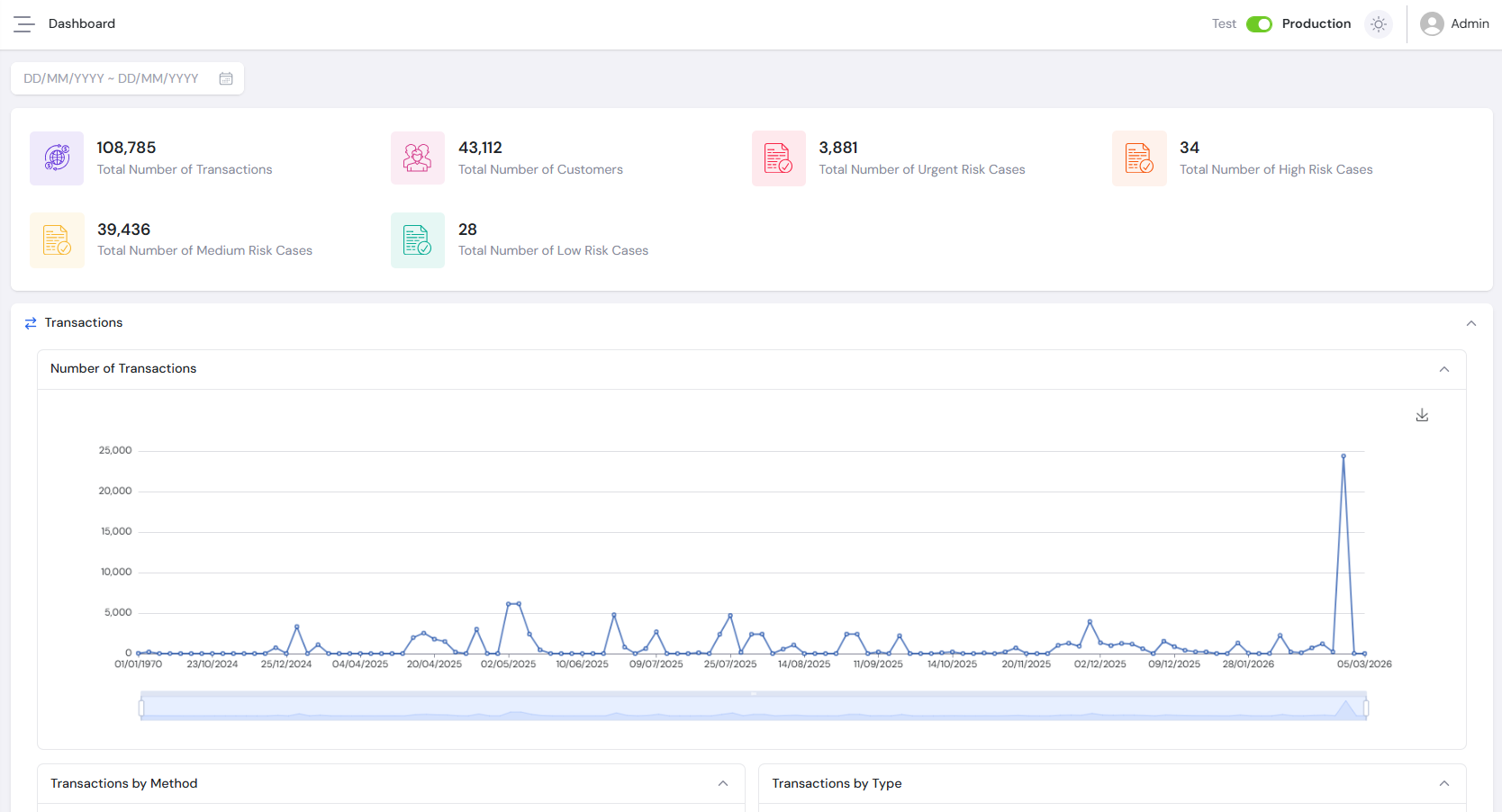
Transactions
- Number of Transactions - Line graph broken down by date, showing the total transactions processed per day.
- Transactions by Method - Pie chart showing the transactions broken down by transaction method.
- Transactions by Type - Pie chart showing the transactions broken down by transaction type.
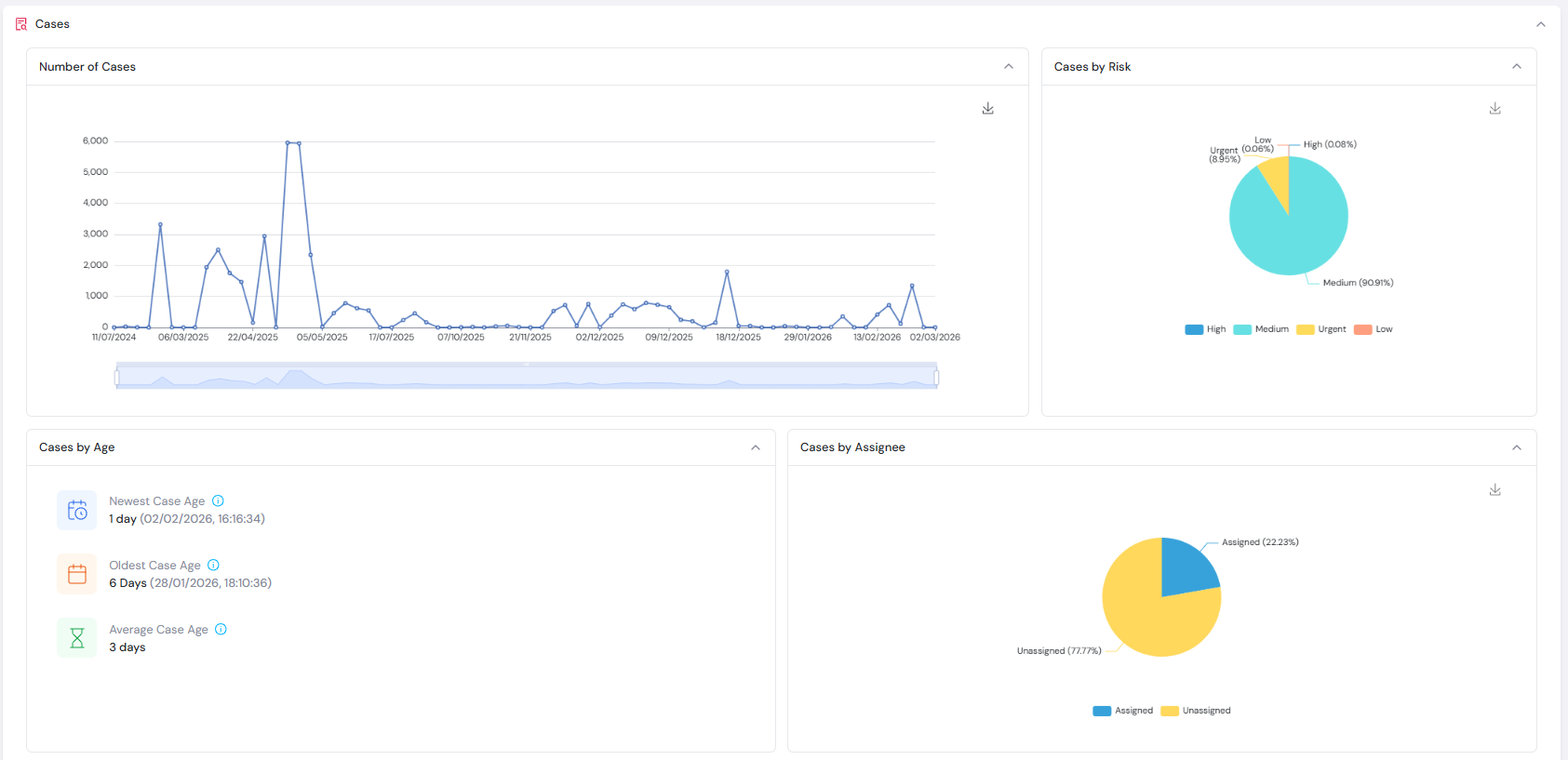
Cases
- Number of Cases - Line graph broken down by date, showing the total cases generated per day.
- Cases by Risk - Pie chart showing the cases broken down by assigned risk level.
- Cases by Age - Statistics showing the Newest Case Age date, the Oldest Case Age date and the Average Case Age based on the average time between case creation and closure.
- Cases by Assignee - Displays the percentage of cases that have been assigned.
- Cases by Status - Shows the percentage breakdown of cases by status.
- Cases by Status Reason - Shows the percentage breakdown of cases by individual status reason.
For a walkthrough of how transactions flow through the system and generate cases, see the Transaction Flow guide.